
Recipes are live on iPhone and Android: save one from anywhere, or write your own
Published · Updated
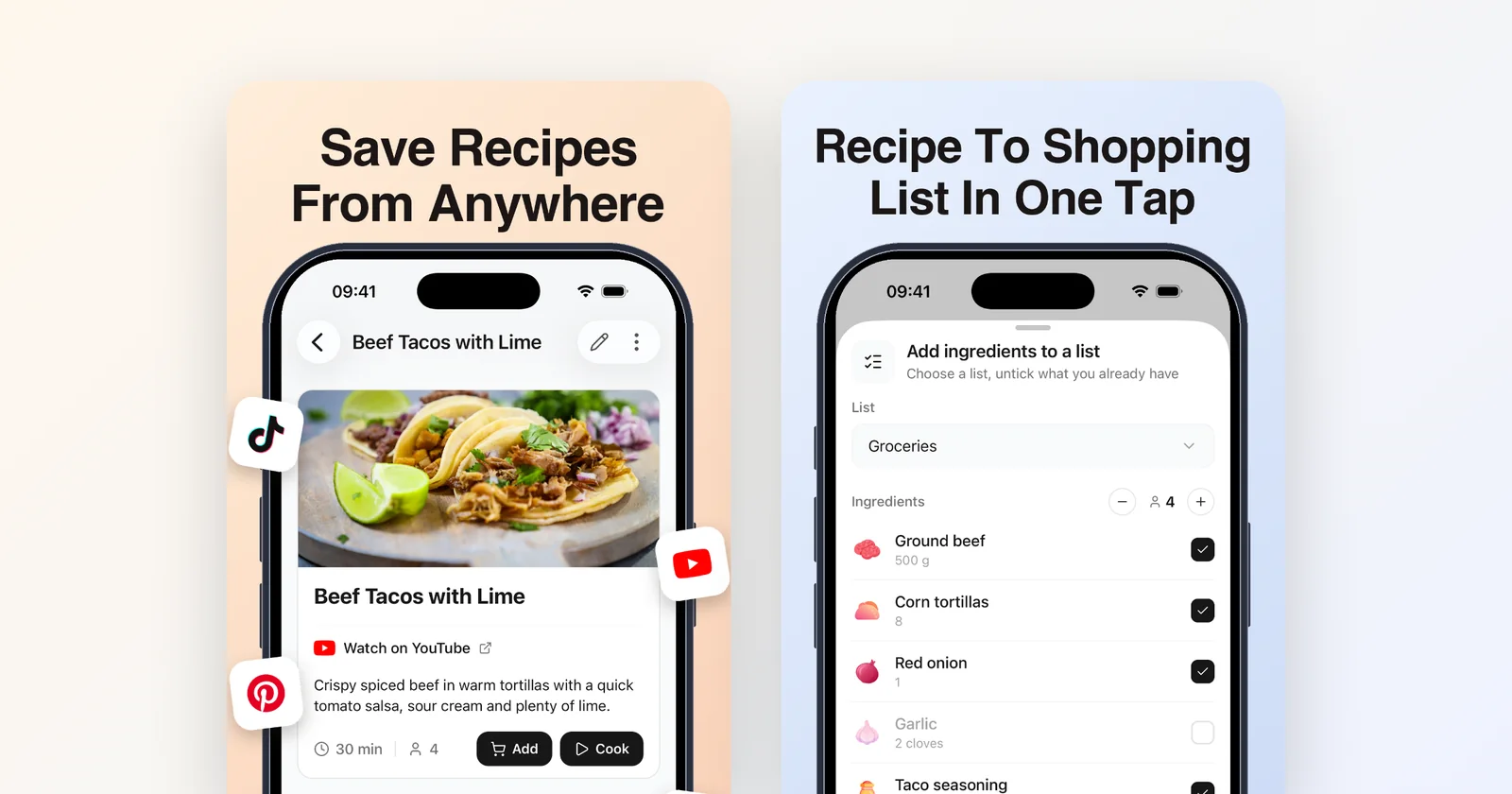
Groceree can read a recipe out of a TikTok, Instagram, YouTube or Facebook post, a recipe website, a photo or pasted text, or you can type your own in. It scales the recipe to the number of people eating and puts the ingredients you still need on a shared list, sorted by aisle. It launched on iPhone in September and is now on Android too.
The problem was never finding recipes
Nobody is short of recipes. They arrive all day, in the format the internet has settled on: a sixty-second video with the ingredients spoken aloud, written in the caption, or flashed on screen for two seconds between cuts.
The problem is the gap between seeing one and eating it. You save the video to a folder you will not open again. Or you pause it eleven times, typing ingredients into a note with your thumb, and by the time you are in the shop you have "400g" written next to nothing.
That gap is the whole feature. Not a recipe library, but a way to get from a video you liked to a list you can shop.
How to save a recipe from TikTok, Instagram or YouTube
You share the post into Groceree from your phone’s normal share menu, the same one you use to send it to a friend. The steps are the same on iPhone and Android:
- Open the video or post and tap Share.
- Choose Groceree from the apps in the share menu. If it is not in the first few, it is further along the row.
- Groceree reads the title, the ingredients with their quantities and the steps, and saves them as a recipe you own rather than a link that might go dead.
- Check the ingredients, set the number of people, and send what you are missing to your list.
It works on more than social video: any recipe website, a photo of a cookbook page or a handwritten card, and text you paste in yourself. And when a recipe only exists in your own head, or in a family version nobody ever wrote down, you can enter it by hand and it behaves like any other.
Now on Android too
Everything on this page works the same on Android as on iPhone: sharing from TikTok, Instagram, YouTube or your browser, reading photos and pasted text, translating, scaling, and sending the ingredients to a list.
A household does not have to agree on phones. A list shared between an iPhone and an Android phone is the same list, so the ingredients one person sends from a recipe appear for everyone else straight away, whatever they carry.
A recipe in Italian is one button from being readable
An imported recipe is kept in the language it was written in, with a Translate button on its screen for whenever you want it in yours. If you would rather never see the original, Settings has a switch, Translate imported recipes, that saves every import in the app language from the start.
This matters more than it sounds: the best version of a dish is often posted by someone cooking it at home, in their own language, and that is exactly the video you would otherwise scroll past.
Scaled to the people actually eating
Recipes are written for four whether you are two or seven. Change the serving count and every amount is recalculated, in fractions where a cook thinks in fractions, so a halved recipe asks for 1½ teaspoons rather than 1.5, and in decimals where the kitchen scale does.
The scaling happens before the ingredients reach the list, so what you buy matches what you will cook.
Then it becomes the list
Pick the ingredients you do not already have, and they go onto a shared list in one step, grouped into the aisle order you walk. Everyone else in the house sees them appear straight away, because it is the same list they have always been on.
That is the part we care about most. A recipe that stays in a recipe app is a bookmark. A recipe that turns into the thing you are holding in the shop is dinner.
No recipe in mind? Try Discover
Saving assumes you have already found something to cook. When you have not, the Discover tab has almost 200 recipes from 27 cuisines, written with exact amounts and in your language. Save one to your recipes or send its ingredients straight to a list.
What it does not do
It is worth being straight about the edges. Groceree does not plan your week: there is no calendar, and recipes are saved and shopped from rather than scheduled.
And extraction is not magic. A video that never says the quantities will not produce quantities, and you can always fix a line by hand.
Frequently asked questions
- How do I save a recipe from TikTok?
- Open the video, tap Share and choose Groceree. The app reads the ingredients, quantities and steps from the video and its caption and saves them as a recipe. From there you send the ingredients you need to your shopping list in one step.
- Can I save Instagram recipes on Android?
- Yes. On Android, Groceree appears in the share menu of Instagram, TikTok, YouTube and your browser, just as it does on iPhone. Share a Reel or a post into the app and it is saved as a recipe with its ingredients and steps.
- Is it free?
- Yes. Groceree is free to download on the App Store and Google Play. Saving recipes from TikTok, Instagram, YouTube and recipe websites, adding their ingredients to a list and sharing that list with your household all work in the free app.
- What if the video never says the quantities?
- Groceree can only read what the recipe gives. When a video shows the ingredients without amounts, the recipe comes in without them, and you can add or correct any line by hand before it goes on your list.
- Can Groceree translate a recipe into my language?
- Yes. An imported recipe keeps the language it was written in and has a Translate button, and the Translate imported recipes switch in Settings saves every import in your app language from the start.
Try it with the next one you see
Groceree is free on iPhone and Android. The honest test is the next recipe video you stop scrolling for: share it into the app and see whether the ingredients come out right.