How to save recipes from any website
Last updated
To save a recipe from a website, share the page to Groceree from your browser. The app reads the recipe itself, not the story above it or the adverts around it, and saves the ingredients with their quantities and the steps, so you can cook from it and send what you need to a shopping list.
Recipe pages are built to be found, not cooked from. The method sits under a long introduction, the page jumps as adverts load, and the screen locks while your hands are covered in dough. The bookmark you saved last month is somewhere in a list of fifty.
Three ways to keep a recipe from a website
Bookmark the page
A bookmark keeps the page, adverts and all. It breaks when the site changes its links, and finding the right one later means remembering which site it was on.
Copy it into your notes
Copying the ingredients and method into a note gets rid of the clutter, but it is slow on a phone, and the note cannot scale the quantities or put them on a list.
Share it to Groceree
Share the page to Groceree. Most recipe sites describe their recipe in a structured way for search engines, and Groceree reads that; on other pages it reads the page text. Either way you keep only the recipe.
From a recipe page to your shopping list
Five steps, and only the first two happen in your browser.

Open the recipe page
01Open the recipe page
Any public recipe page in Safari, Chrome or another browser: a food blog, a newspaper’s recipe section or a supermarket’s recipe site.
Open the recipe page
 Groceree02
Share it to Groceree
Tap the browser’s Share button and pick Groceree. Or copy the address and use “Import from web” in the app.
 03
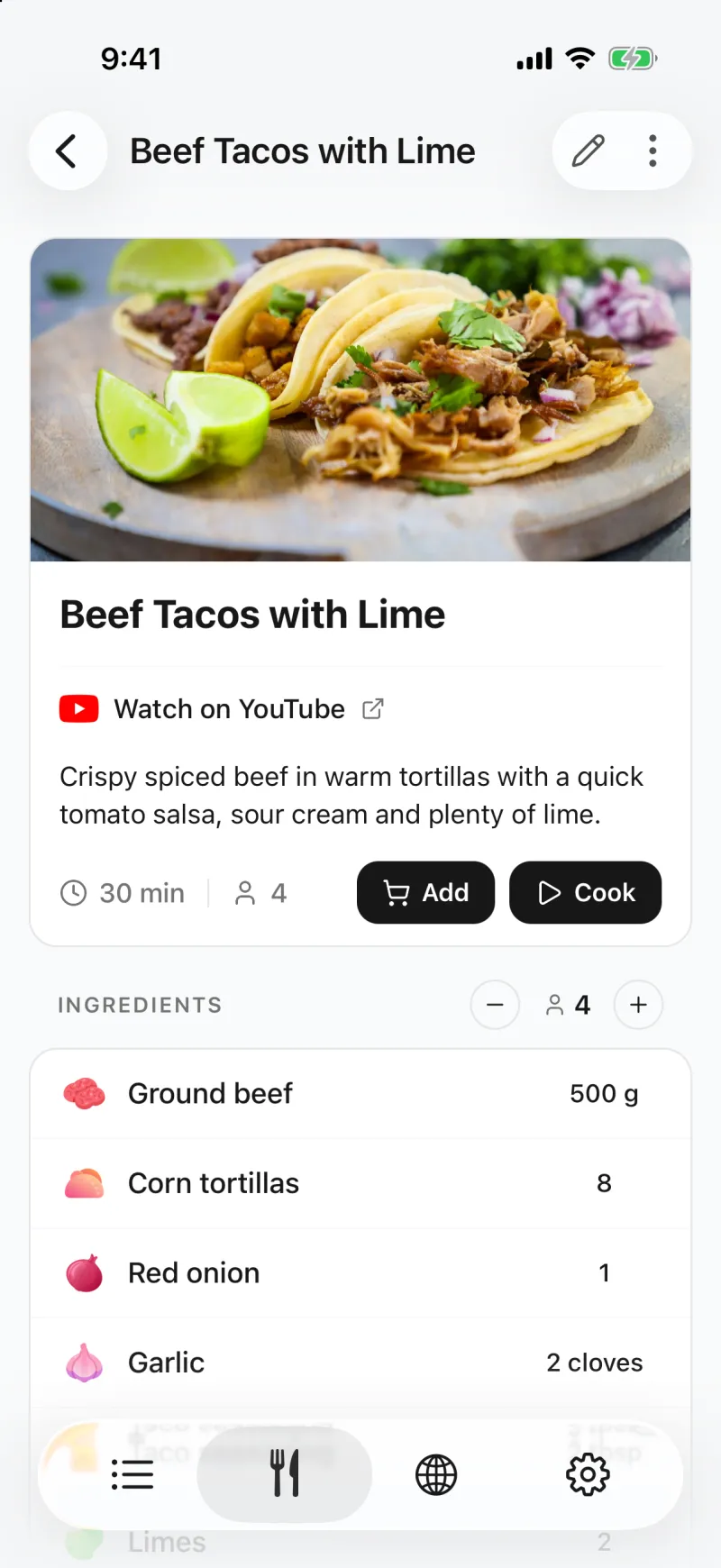
03The recipe is written out
Within a minute the recipe opens in Groceree: ingredients with their quantities, numbered steps, servings and a link back to where it came from.
 04
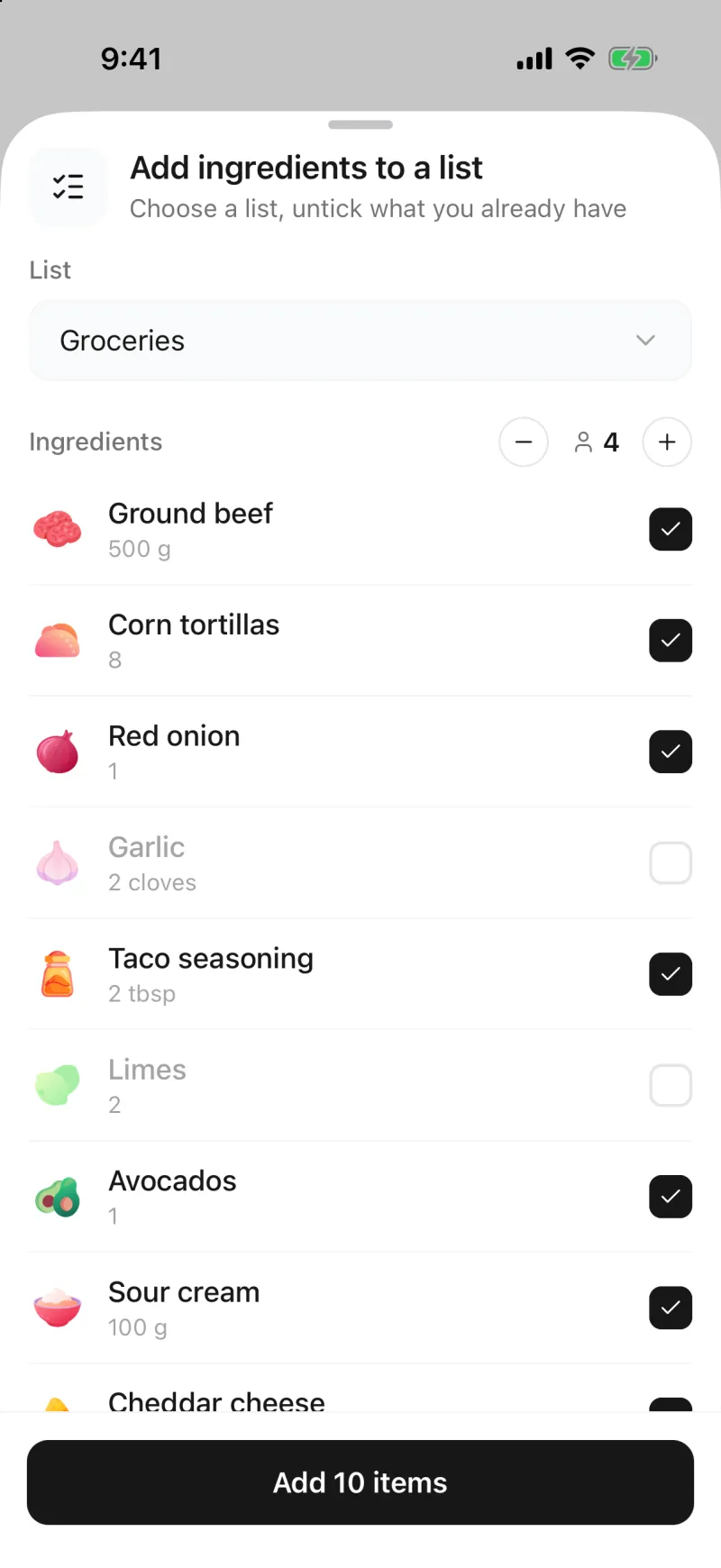
04Untick what you already have
Tap Add on the recipe, choose a list and set the servings. Untick the salt and anything else already in the cupboard.
 05
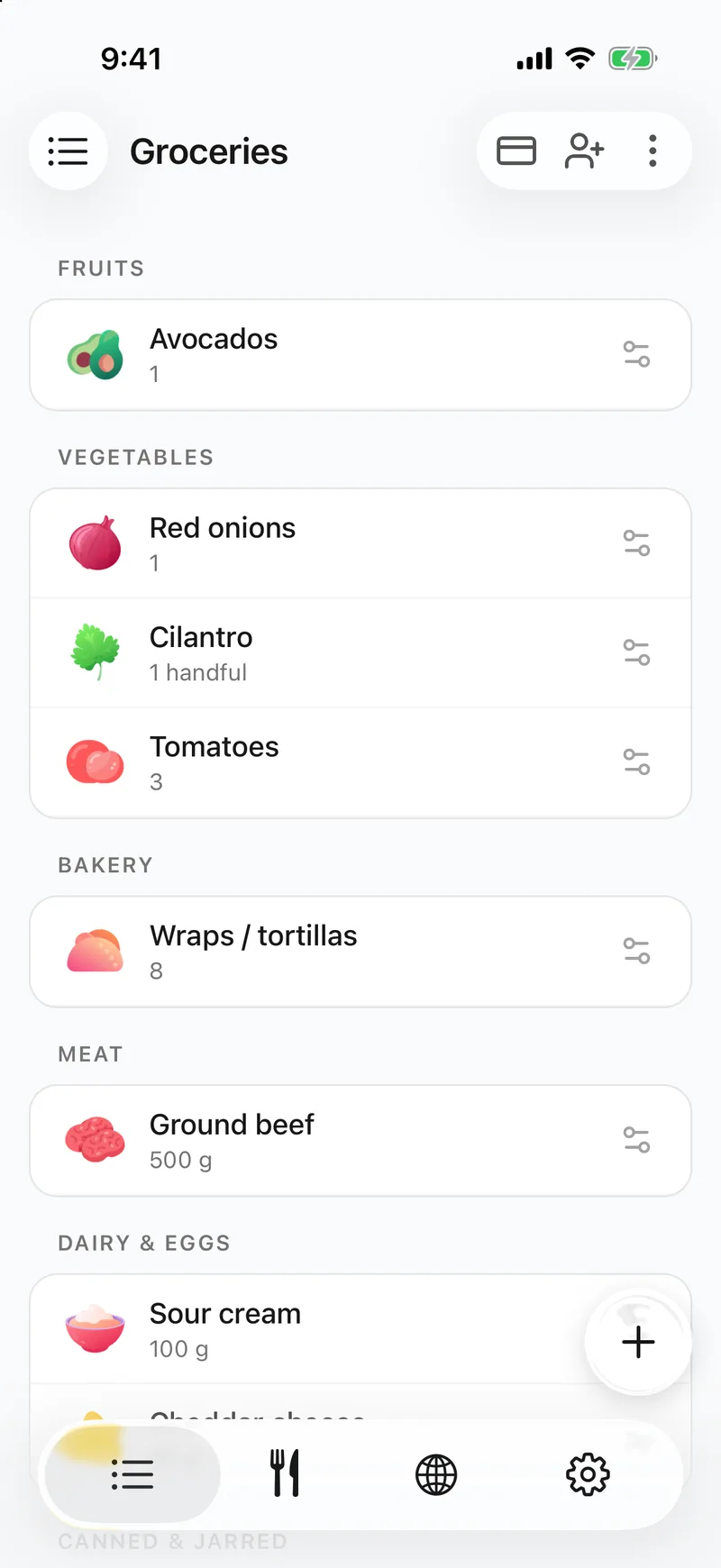
05It is on the shared list
The rest lands on the list sorted by supermarket aisle, and everyone you share the list with sees it straight away.
What ends up in the saved recipe
- The name of the dish and the number of servings.
- Every ingredient with its quantity and unit, grouped into parts such as the pastry or the filling when the page splits them.
- The method as numbered steps, and the cooking time.
- The recipe’s photo from the page.
- An “Open the recipe page” link back to the site, so the author still gets the visit.
- The recipe stays in the language of the page, with a Translate button to show it in your app language. “Translate imported recipes” in Settings does that for every import.
Where it has limits
- Pages behind a paywall or a login cannot be read.
- Some sites block automated reading. When that happens Groceree opens the page inside the app; wait for the recipe to appear and tap “Import this recipe”.
- PDF recipes cannot be imported from a link. Copy the text and use “Paste text”, or take photos of the pages instead.
- A recipe in a language the app does not have is saved in English.
Questions about saving recipes from websites
- Which recipe websites does it work with?
- Any public recipe page. Food blogs and the big recipe sites describe their recipes in a standard way that Groceree reads directly, and on other pages it reads the recipe from the page text. Groceree is free on iPhone and Android, and saving recipes is part of the free app.
- How do I save a recipe without the life story?
- Share the page to Groceree. Only the recipe is saved, the ingredients, quantities and steps, without the introduction, the comments or the adverts.
- What if a site will not let the recipe be read?
- Groceree then opens the page inside the app, the way your browser would. Wait for the recipe to appear and tap “Import this recipe”. If that still fails, copy the recipe text and use “Paste text”.
- Can I save a recipe on my computer?
- Groceree is an iPhone and Android app, so recipes are saved on the phone. Open the page on your phone, or send yourself the link and import it from there.