
How to save a recipe from a photo or cookbook
Last updated
To save a recipe from a cookbook, a recipe card or a handwritten note, photograph it in Groceree. The app reads the page, handwriting included, and types it out as a recipe with the ingredients, their quantities and the steps, so it can be searched, scaled and sent to a shopping list.
The recipes people cook most are often the ones that were never online: a stained card in a family hand, a page of a cookbook from the shelf, a note someone wrote out for you. Typing them up is the job that never gets done, so they stay in the drawer.
Three ways to keep a printed recipe
Leave the photo in your camera roll
A photo of the page is quick, but it sits between holiday pictures and receipts, cannot be searched, and the ingredients on it still have to be copied onto the shopping list by hand.
Type it out
Typing a recipe gives you text you can search and share, but it takes ten minutes a recipe on a phone, which is why the family recipes never get done.
Photograph it in Groceree
Take a photo or choose one from your library, and Groceree reads the page, printed or handwritten, and types it out as a recipe. A recipe that runs over two pages can be read from several photos at once.
From a cookbook page to your shopping list
Five steps, all of them in Groceree.
Find the recipe
01Find the recipe
A page of a cookbook, a recipe card, a handwritten note or a screenshot of a recipe. Lay it flat in good light.
Find the recipe
02Photograph it in Groceree
Tap + on the Recipes tab, choose “Upload from photos”, then “Take a photo”, or “Choose from library” to pick up to eight photos of one recipe.
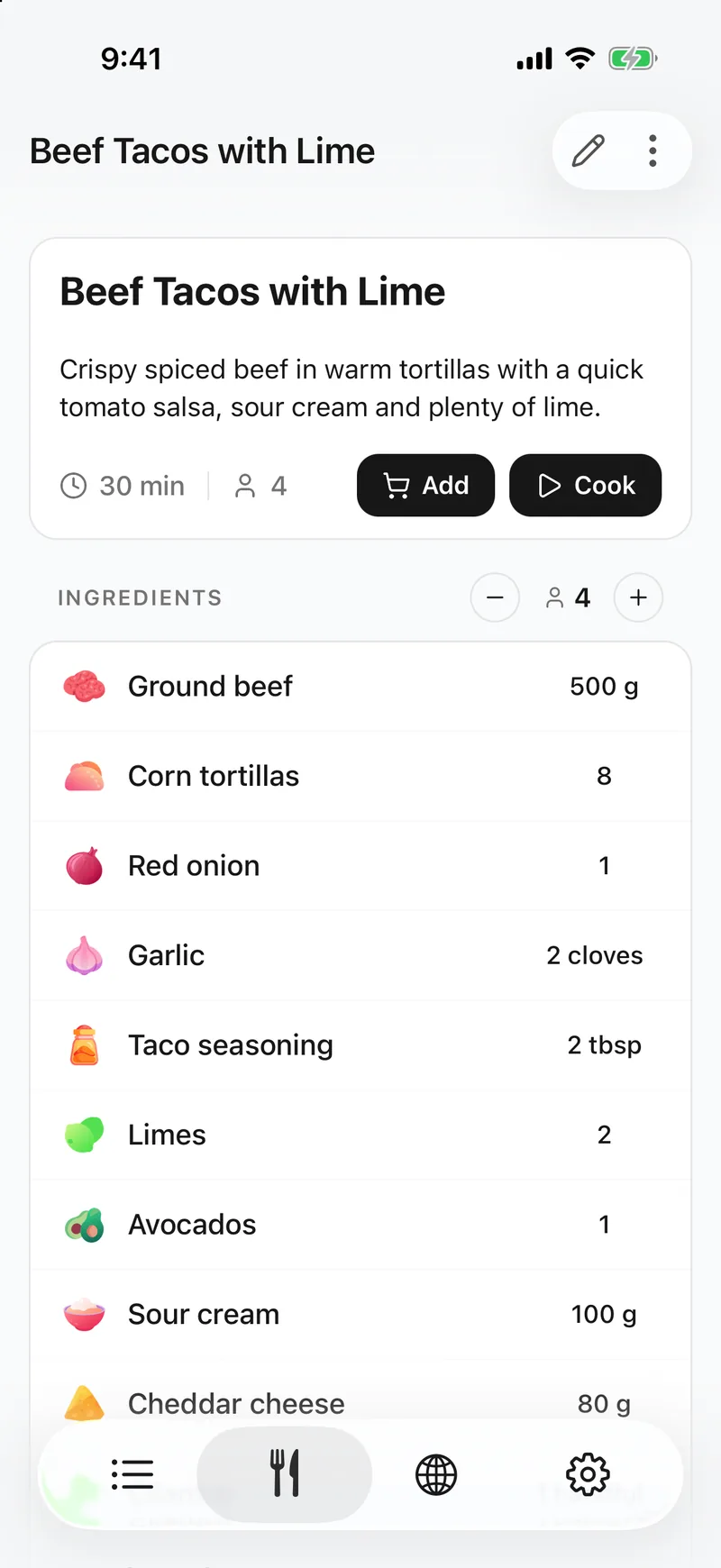 03
03The recipe is typed out
Within a minute the recipe opens in Groceree with its ingredients, their quantities and numbered steps, ready to check against the page.
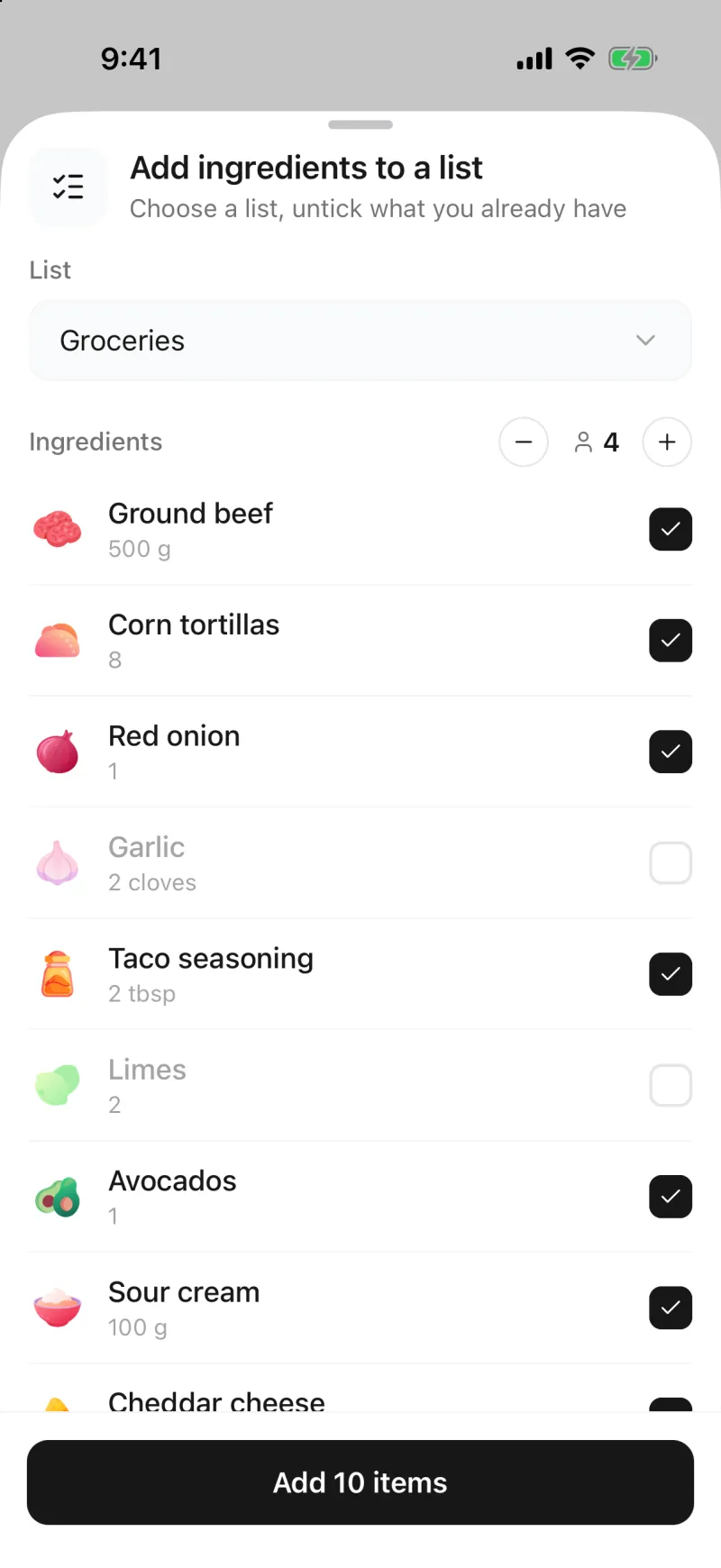 04
04Untick what you already have
Tap Add on the recipe, choose a list and set the servings. Untick the salt and anything else already in the cupboard.
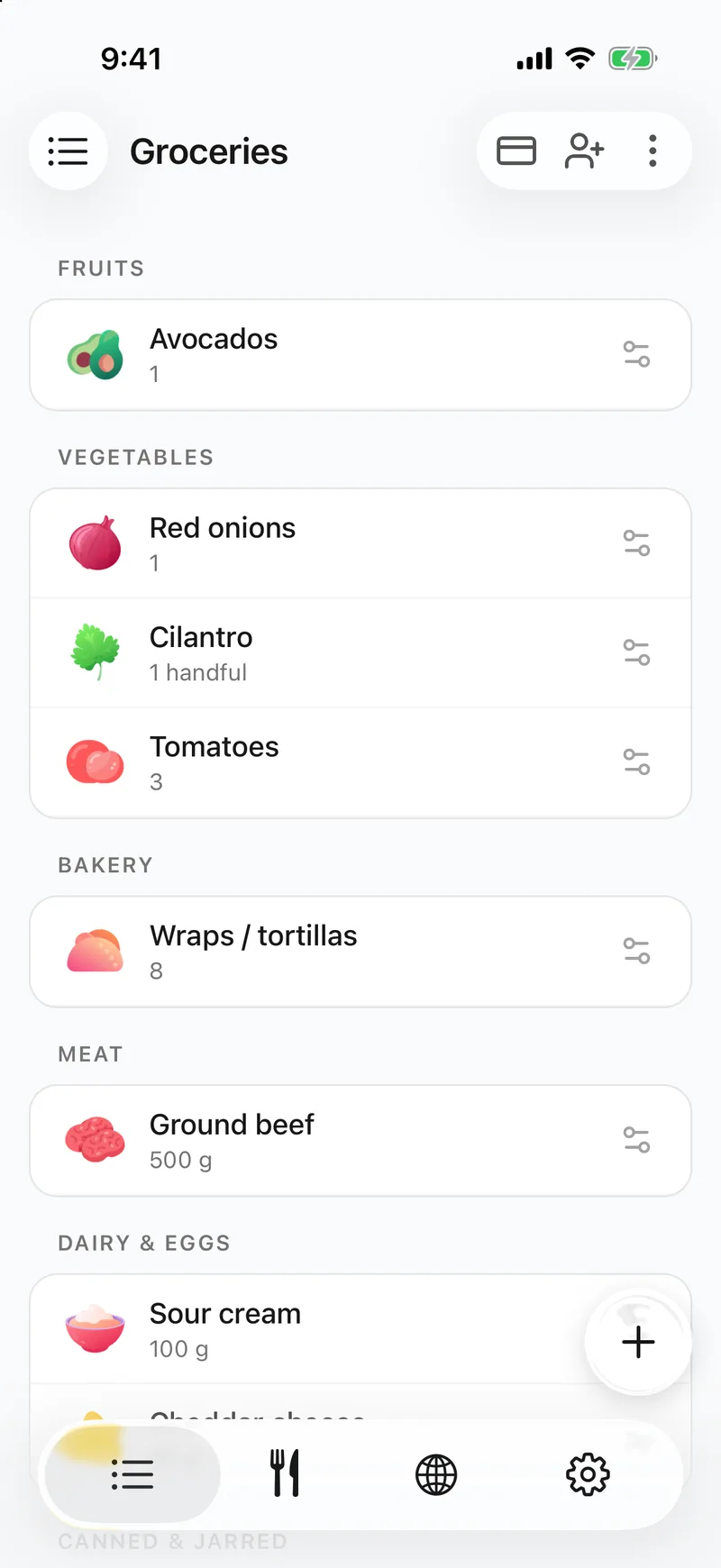 05
05It is on the shared list
The rest lands on the list sorted by supermarket aisle, and everyone you share the list with sees it straight away.
What ends up in the saved recipe
- The name of the dish and the number of servings when the page gives them.
- Every ingredient with its quantity and unit, grouped into parts such as the cake and the icing when the page splits them.
- The method as numbered steps, and the cooking time when it is written down.
- The words as they are written, handwriting included, in the language of the page.
Where it has limits
- Your photos are read and not kept, so the recipe has no picture to begin with. Add a photo of the dish when you edit it.
- Very faint or hard-to-read handwriting can come out wrong. Check the recipe against the page and correct anything.
- One import is one recipe. A page with two recipes on it needs two imports.
- The camera takes one photo at a time. For a recipe spread over several pages, photograph them first and choose them together from your library, in order.
- A recipe in a language the app does not have is saved in English.
Questions about scanning recipes
- Can Groceree read handwritten recipes?
- Yes. Photograph a handwritten card or note and Groceree types out what is written, ingredients, quantities and steps. Check anything hard to read before you cook. Groceree is free on iPhone and Android, and saving recipes is part of the free app.
- How do I scan a recipe that runs over two pages?
- Photograph both pages, then choose “Upload from photos” and “Choose from library” and pick the photos in order. Up to eight photos can make up one recipe.
- Can I save a recipe from a screenshot?
- Yes. A screenshot is read the same way as a photo of a page, so a recipe you screenshotted from a message or an app can be turned into a proper recipe.
- Is the photo of the page saved?
- No. The photos are read and then thrown away, and only the recipe is kept. You can add a picture of the finished dish to the recipe yourself.