The recipe organizer that writes your grocery list
Save recipes from TikTok, Instagram, YouTube, Facebook and any website in one place. Groceree turns each one into a clean recipe and sends the ingredients to a shopping list your whole household shares.

Scan to download
Free on iOS & Android
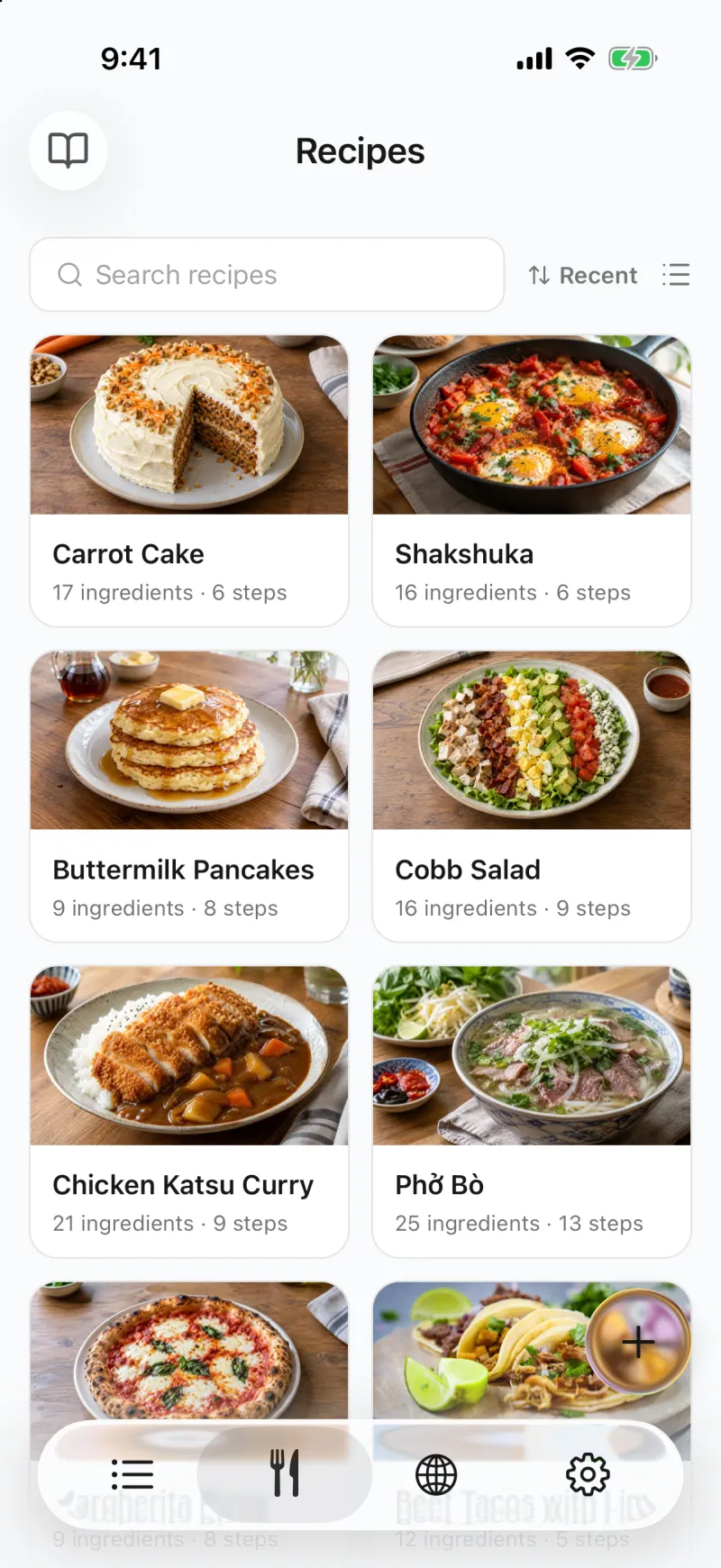
What is Groceree?
Groceree is a free recipe organizer and grocery list app for iPhone and Android. Save a recipe from TikTok, Instagram, YouTube, Facebook, a website or a photo of a cookbook page, and Groceree turns it into a clean recipe with ingredients, amounts and steps. Then send the ingredients to a grocery list everyone at home shares.
Your recipes live in one library that you sort into cookbooks, next to recipes you write yourself and ones you find in Discover, a collection of recipes written for the app. Share a cookbook with family or friends, and they can cook from it on their own phones. Any imported recipe can be translated into the language you use the app in, whatever language it was posted in. The shopping side is a full shared grocery list: invite your family, partner or roommates with a link, and keep separate lists for groceries, the pharmacy or the hardware store.
Why a recipe organizer beats saved posts and screenshots
Most of us already save recipes somewhere. The trouble starts when it is time to cook, or to shop for it.
What usually happens
The recipe is a TikTok in your saved folder, a reel you bookmarked, a Facebook video you meant to find again, a screenshot or a browser tab you never closed. To cook it you scrub back through the video to catch the amounts, and before the shop you copy the ingredients into a note one by one, hoping you did not miss the garlic.
What Groceree does instead
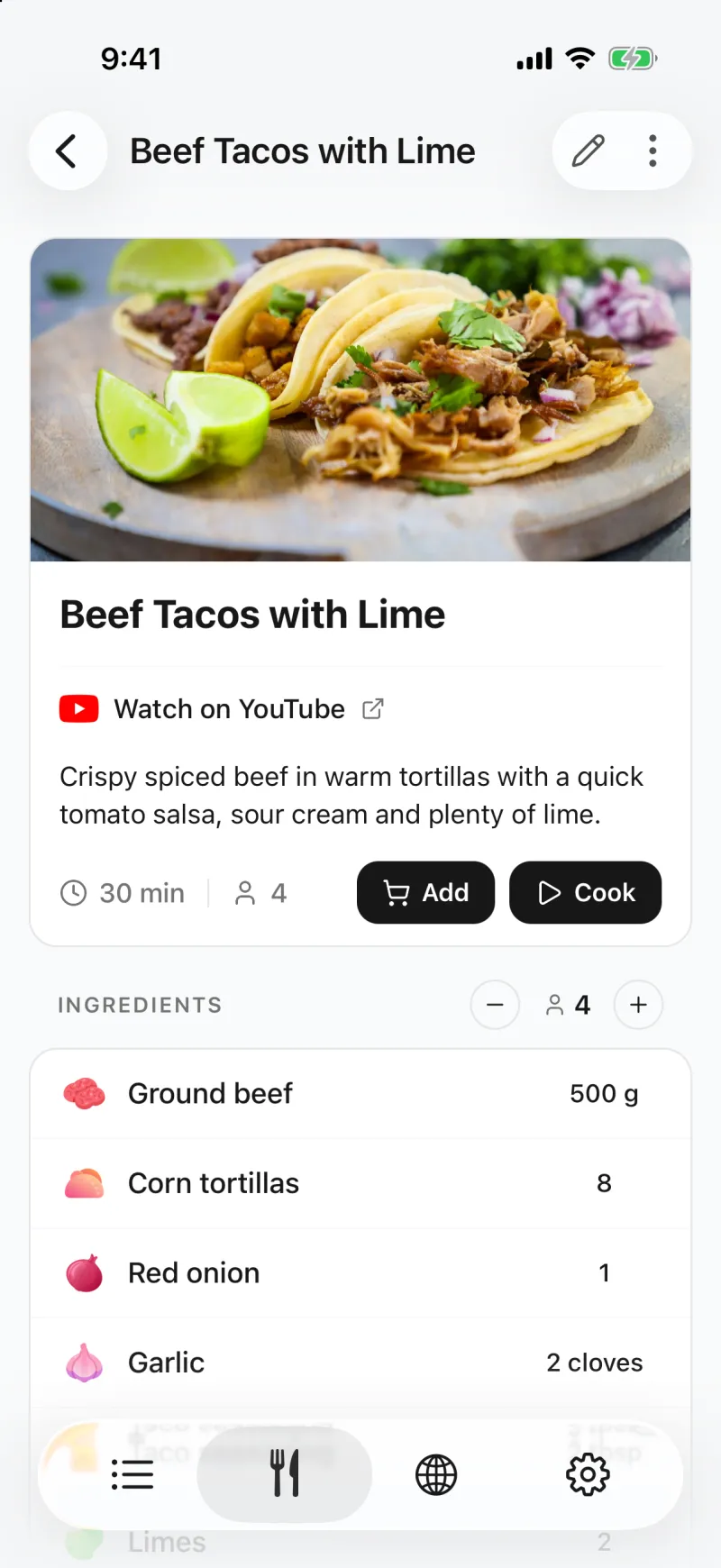
Every recipe goes into one library as clean text: ingredients with amounts, numbered steps, cooking time and a photo, with a link back to the original post. When you decide what to cook, the ingredients go onto your shared grocery list in one tap, sorted by aisle, and everyone at home sees them at once.
Save recipes from TikTok, Instagram, YouTube, Facebook and any website
Share a recipe post or video into Groceree, or paste its link, and the app reads out the title, the ingredients with their amounts, the steps and the cooking time. It works with TikTok, Instagram, YouTube and Facebook, with recipe websites and food blogs, with a photo of a cookbook page and with text you paste in.
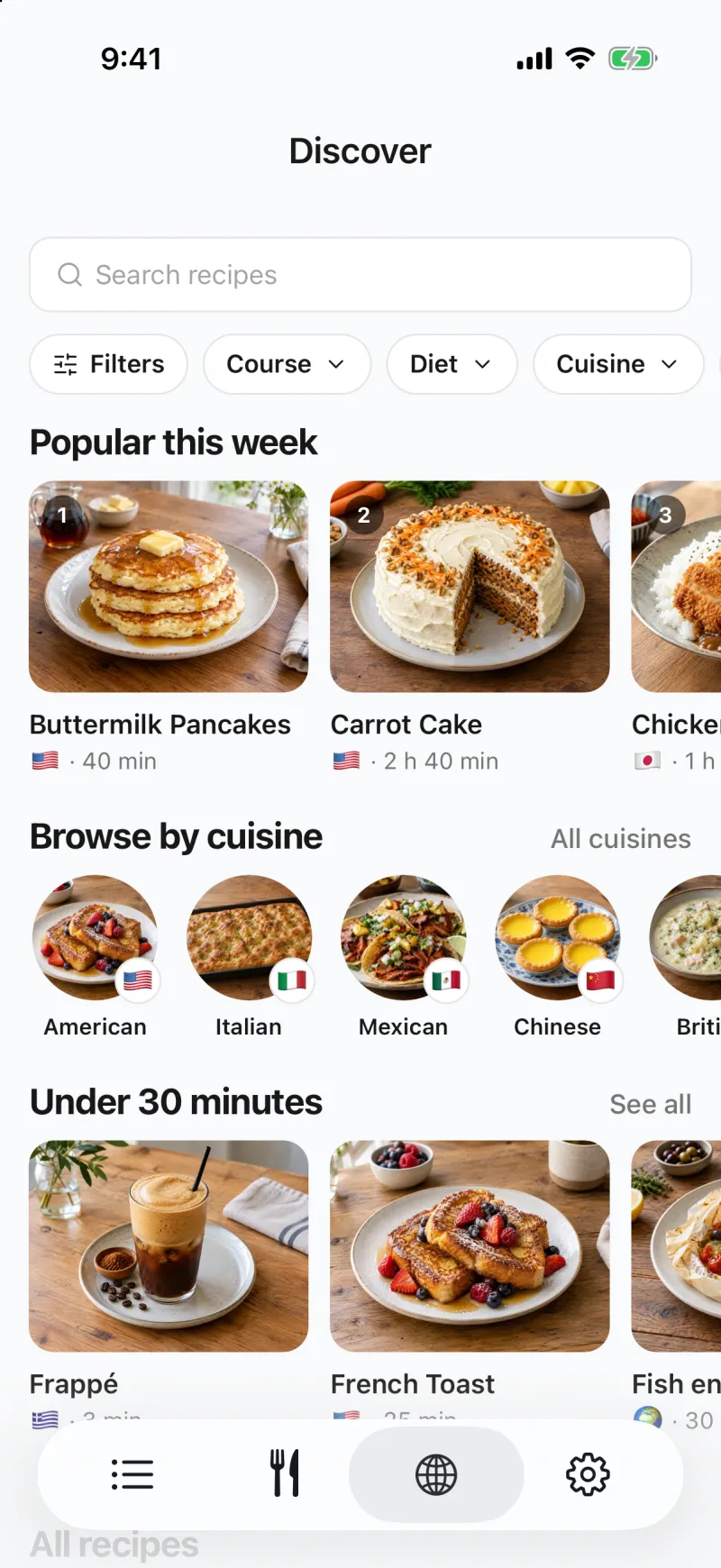
Or discover new recipes by ingredient, diet and cooking time
When nothing you have saved fits tonight, open Discover: recipes from around the world, each with a photo, exact amounts and numbered steps, in your language. Filter by course, diet, cooking time or the ingredients in your fridge, and save the ones you like to your library.
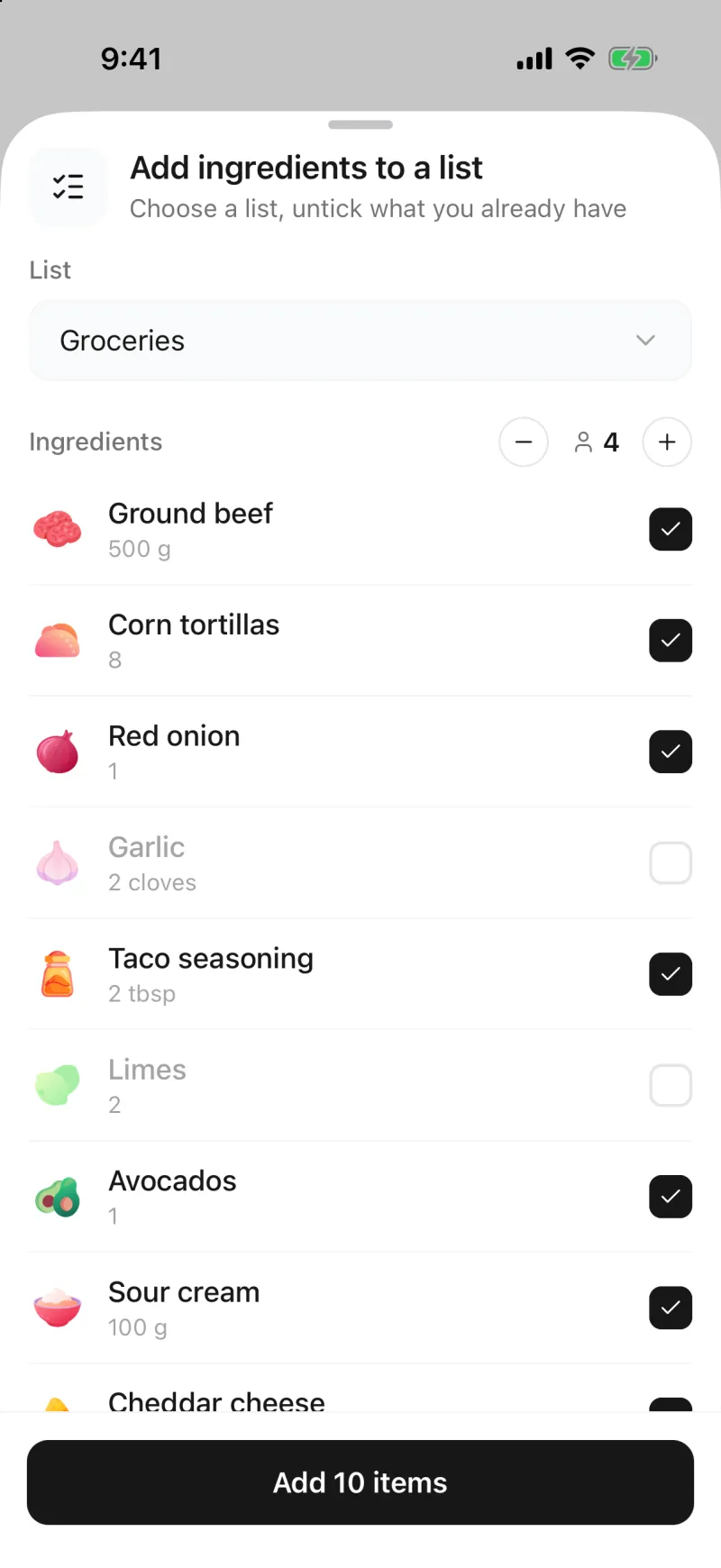
Turn any recipe into a grocery list
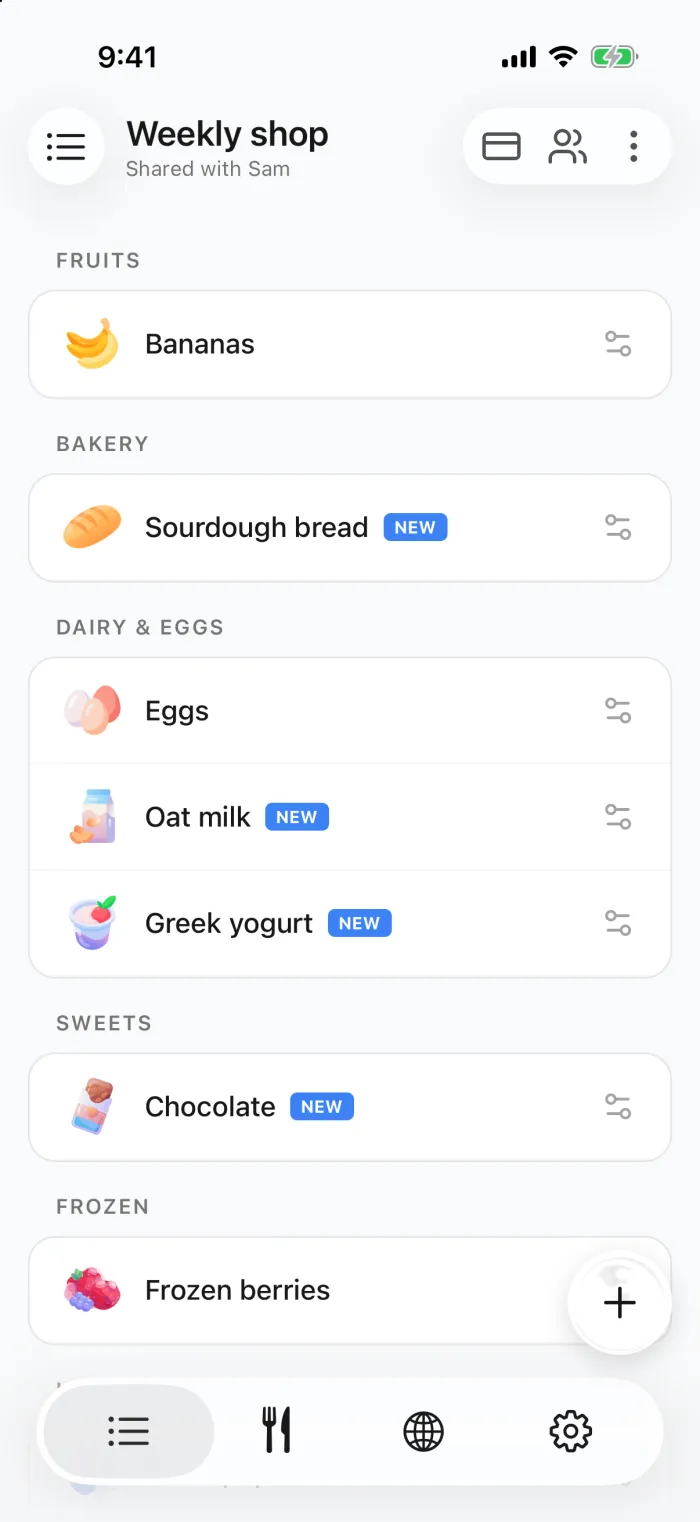
Open a recipe, set how many people you are cooking for, and every amount is recalculated. Untick what is already in the cupboard, and the rest goes onto the list you choose, matched to real products and sorted by supermarket aisle. Anything else you need, from coffee to washing-up liquid, you add by hand, with suggestions as you type.
Share your grocery list with the whole household
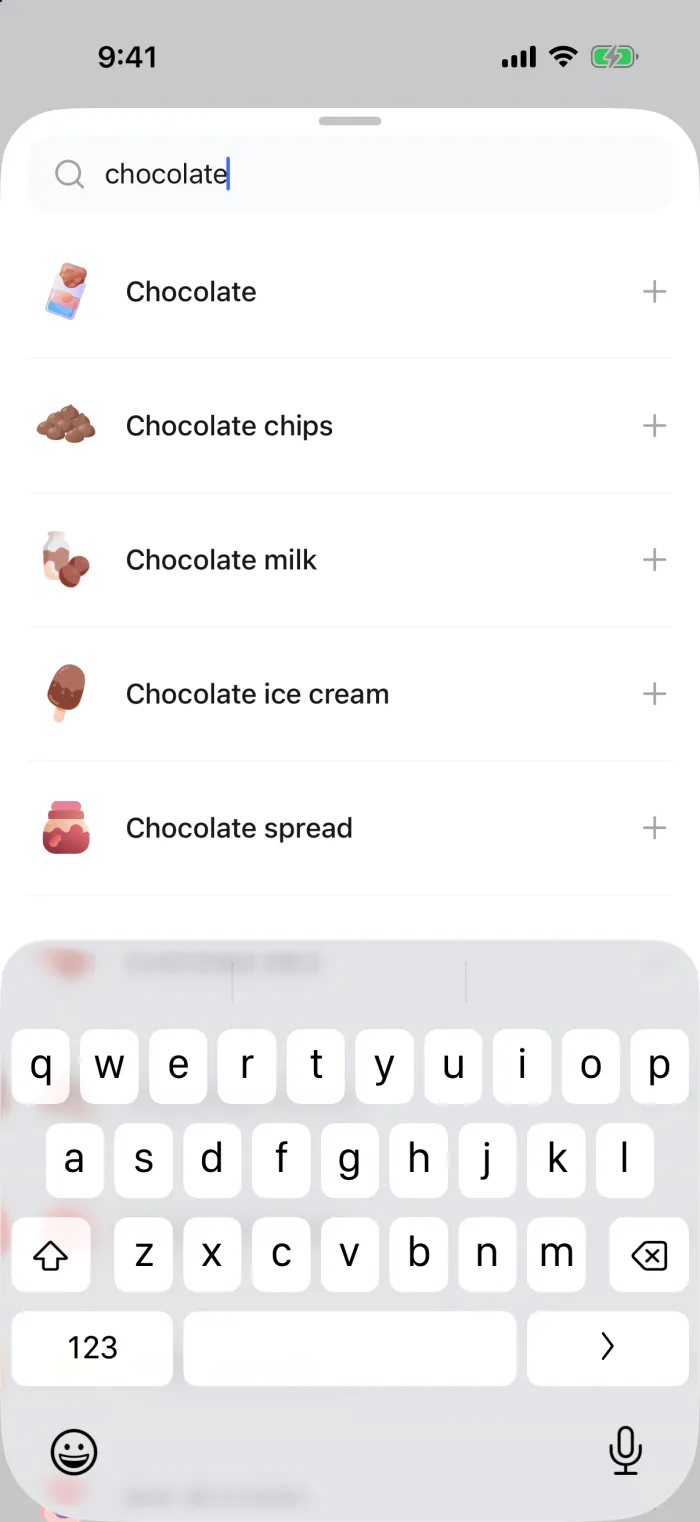
Invite your family, partner or roommates with a link. Whatever one of you adds appears on everyone’s phone in real time, and a notification tells whoever is out shopping that something new is on the list. Two people can even split the shop between two stores without buying anything twice.


Update in Weekly shop list
4 items were added to the list.

Cook from your phone, step by step
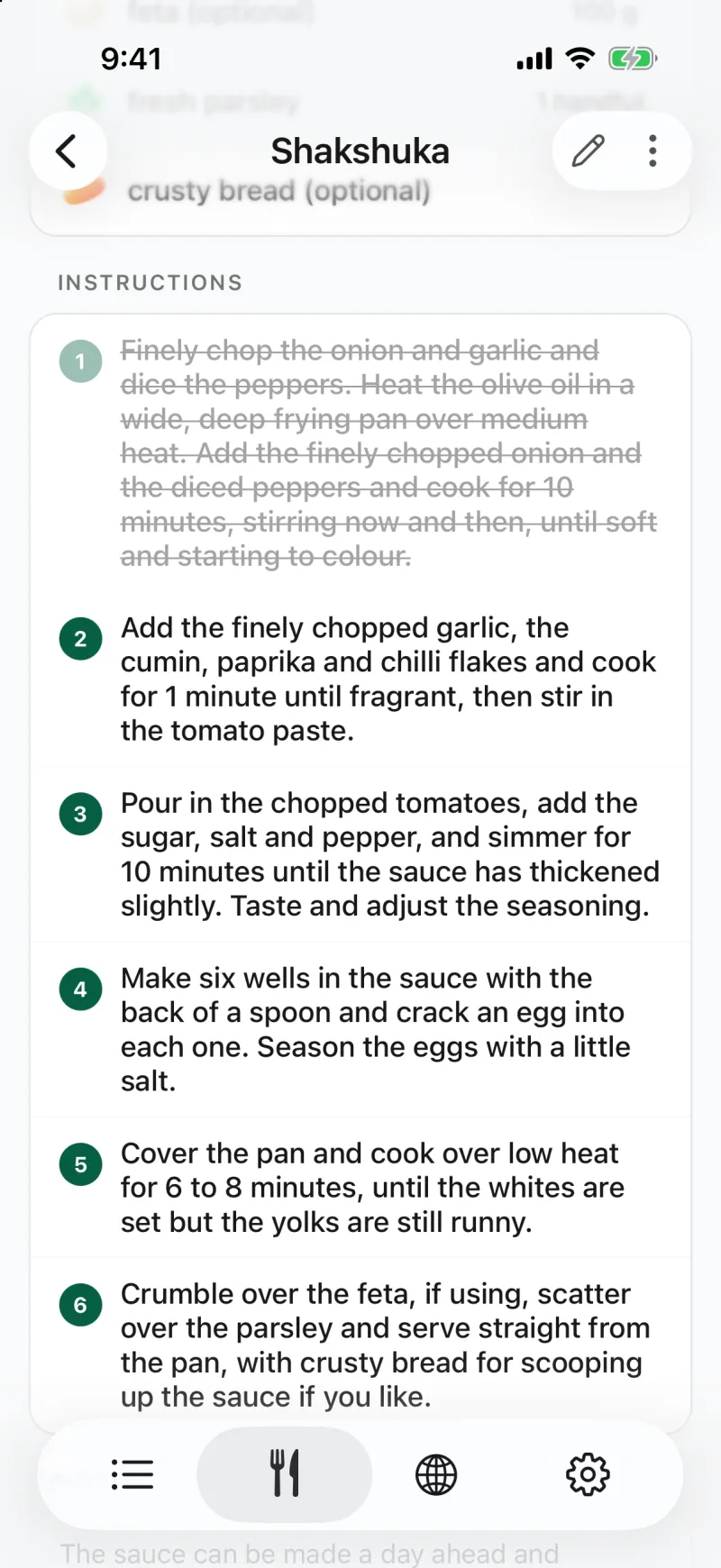
Tap Cook and the screen stays on while you work, so you are not unlocking your phone with floury hands. Tap each step as you finish it to cross it off, and you never lose your place in the recipe.
And much more
The smaller things that make every week’s cooking and shopping a little easier.
Sorted by supermarket aisle
Items land in categories automatically. Put the categories in the order you walk your shop, and the list follows it.
Cookbooks you can share
File weeknight dinners, baking and recipes for guests in cookbooks of their own, and share one so the family can cook from it too.
Recipes in your language
One tap on Translate puts an imported recipe into the language you use the app in, or a setting translates every import.
Separate lists for every shop
Groceries, the pharmacy, the hardware store: each list has its own members, so the one you share with roommates stays separate.
Works without a signal
Lists stay readable and editable in the dead spots of a supermarket, and sync the moment you are back online.
Loyalty cards at the till
Scan a loyalty card’s barcode once and show it at checkout from the same app as your list.
Dark mode
A dark theme that is easy on the eyes in a dim kitchen, following your phone’s setting or your own choice.
Widgets on iPhone
See the list on your Home Screen, or keep it on the Lock Screen as a Live Activity while you shop.
Recipes from around the world
Popular dishes from every cuisine, written the way a home cook makes them: tested quantities, clear steps and the notes that matter. Every ingredient is matched to a grocery product, so the shopping list writes itself.
 Margherita Pizza🇮🇹 Italian recipes · Dinner · 11 h 30 min
 Pad Thai🇹🇭 Thai recipes · Dinner · 40 min
 Tacos al Pastor🇲🇽 Mexican recipes · Dinner · 6 h 10 min
 Phở Bò🇻🇳 Vietnamese recipes · Lunch · 4 h 40 min
 Chicken Tikka Masala🇮🇳 Indian recipes · Dinner · 2 h
 Boeuf Bourguignon🇫🇷 French recipes · Dinner · 4 h 10 min
How to save a recipe from TikTok, Instagram or Facebook
It takes a few seconds, and it works the same way from YouTube or a recipe website.
- 01
Share the post to Groceree
On the recipe in TikTok, Instagram, YouTube or Facebook, tap Share and pick Groceree. On a website, share the page from your browser, or copy the link and paste it into the app.
- 02
Groceree reads the recipe
The app pulls out the ingredients with their amounts, the steps, the cooking time and a photo, and saves the recipe to your library with a link back to the original.
- 03
Send it to your list
Pick the ingredients you still need and add them to your shared grocery list, where everyone at home sees them straight away.
Frequently asked questions
The things people ask most often before downloading.
- Is Groceree free?
- Yes. Groceree is free to download on the App Store and Google Play, and you can start saving recipes and sharing grocery lists as soon as it is installed.
- How do I save a recipe from TikTok or Instagram?
- Tap Share on the post and choose Groceree. The app reads the ingredients, their amounts and the steps from the video or its caption and saves them as a recipe. If Groceree is not in the share menu, copy the link and paste it into the app instead. YouTube and Facebook videos work the same way.
- Where can I import recipes from?
- From TikTok, Instagram, YouTube and Facebook posts and videos, from recipe websites and food blogs, from a photo of a cookbook page or a recipe card, and from text you paste in. Every imported recipe keeps a link back to where it came from.
- Can I organize my recipes into cookbooks?
- Yes. Create as many cookbooks as you like — weeknight dinners, baking, recipes for guests — and put a recipe in more than one. You can also write your own recipes and edit any imported one.
- Can I share recipes with my family?
- Yes. Share a cookbook the way you share a list: send the invite link, and everyone who opens it sees the cookbook’s recipes on their own phone, iPhone or Android, including the ones you add later. They can cook from them, add the ingredients to a list and save a copy to their own recipes; only you can change the cookbook.
- Can Groceree translate a recipe?
- Yes. Every imported recipe has a Translate button that puts it into the language you use the app in, whatever language the post or website was written in. A setting can also translate each new import automatically.
- Does Groceree have recipes of its own?
- Yes. The Discover tab holds recipes from around the world written for Groceree, each with a photo, exact amounts and numbered steps in your language. You can filter them by course, diet, cooking time and ingredients, and save any of them to your library.
- Can I add a recipe’s ingredients to my shopping list?
- Yes. Open a saved recipe, untick anything you already have in the cupboard, and the rest goes onto whichever list you choose, sorted by supermarket aisle so it matches how you walk the shop.
- How do I share a grocery list with my family?
- Create a list in the app and send the invite link to the people you shop with. When they open the link, the list appears on their phone and any change they make shows up for everyone else in real time.
- Does Groceree work on both iPhone and Android?
- Yes. Groceree is available on the App Store and on Google Play, and recipes and lists sync across both. Someone on an iPhone and someone on an Android phone can share the same grocery list. iOS 16.4 or later is required.
- Can I sort the list by supermarket aisle?
- Yes. Items are grouped into categories, and you can reorder those categories to match the layout of the shop you use most, so the list follows the route you actually walk.
- Can I use Groceree for lists other than groceries?
- Yes. You can keep as many separate lists as you want — pharmacy, hardware store, household supplies — each with its own members, all in the same app.
Save your first recipe tonight
Download Groceree free on iPhone and Android, share a recipe from TikTok, Instagram or Facebook, and watch its ingredients land on your shopping list.